Traefik with Docker: Automatic HTTPS for All Your Containers (Linux, Windows, Mac)
Before you start
- 21 min read
- Updated November 2026
Boxes marked Run in terminal are what you type; plain text explains why. Check what you need first
What you get in one minute#
Traefik is a free reverse proxy for Docker: it watches your containers, reads the labels you put on them, and gives each app its own HTTPS address with a Let's Encrypt certificate that it gets and renews by itself.

Logo: the official Traefik project (github.com/traefik/traefik, file traefikproxy-vertical-logo-color.svg at v3.8.0)
A reverse proxy is one front door for many apps: browsers talk to it on ports 80 and 443, and it passes each request to the right container. With Traefik you add an app by adding labels to its Compose file. No proxy file to edit, no restart.
| What | Value (official sources, read November 2026) |
|---|---|
| Current version | Traefik v3.8.0, released 23 November 2026 (same day: v3.7.20 for the older 3.7 line) |
| Image to pin | traefik:v3.8.0 (official Docker Hub image; amd64, arm64, arm32v6, riscv64, ppc64le, s390x) |
| Time needed | About 30 minutes (our estimate, not measured) |
| RAM | No official minimum found. Measure with docker stats traefik |
| Ports | TCP 80 and 443 on the host. Port 8080 stays inside Docker |
| Licence | MIT (LICENSE.md at the release tag). Paid Traefik Hub products are separate |
| Official docs | doc.traefik.io/traefik |
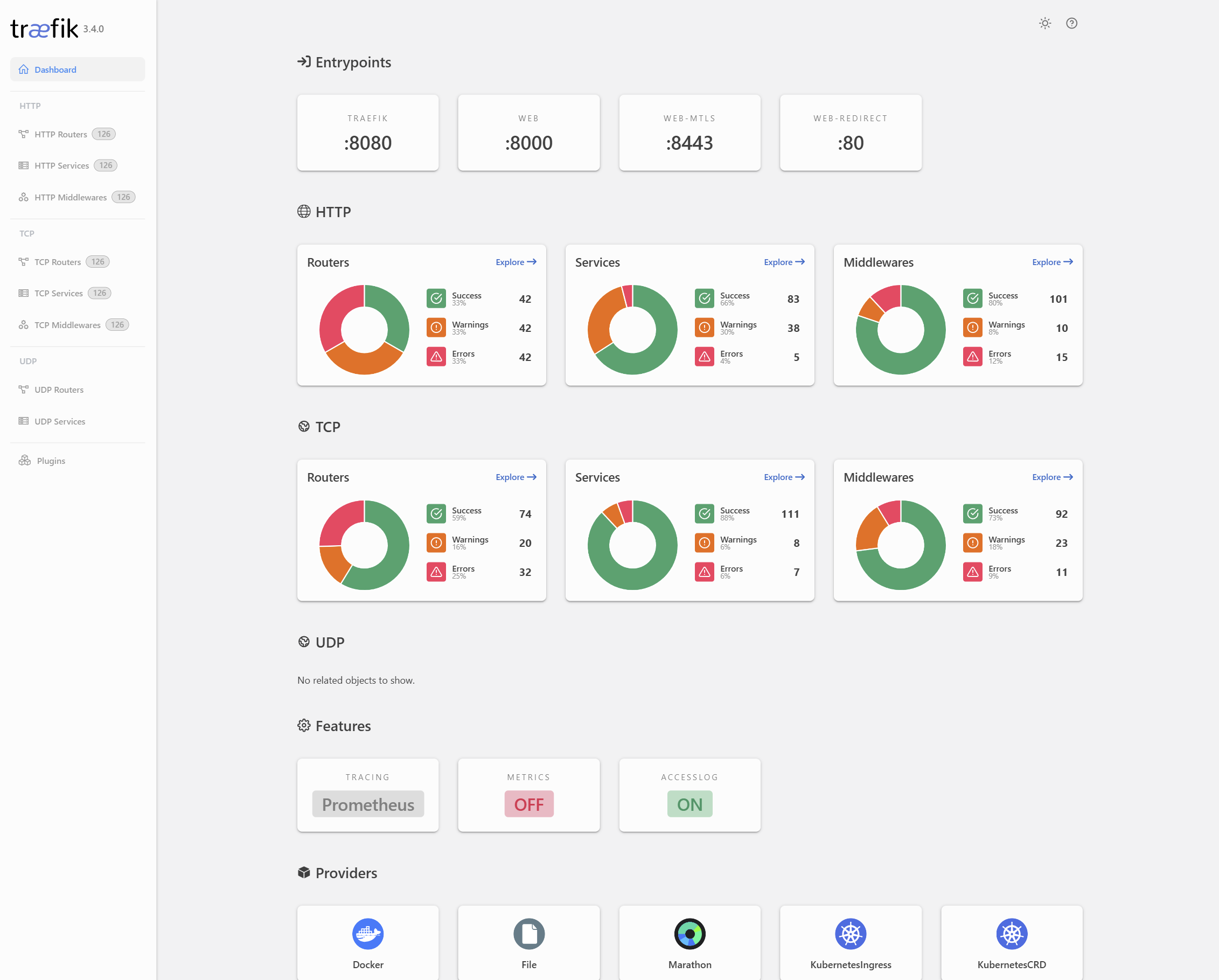
Image: the official Traefik project (README at v3.8.0, "Web UI" screenshot, taken from an older release: the corner shows 3.4.0)
At a glance:
- Discovery: Traefik reads container labels from the Docker socket and updates its routes live.
- HTTPS: it asks Let's Encrypt for certificates (HTTP challenge or DNS challenge) and renews them.
- Not covered: Kubernetes, Swarm and paid Hub features. This is the open-source proxy on one Docker host.
Which version. v3.8.0 is the newest stable release. It fixes three security advisories (one rated high, a memory problem in the Compress middleware). Its migration notes list no Docker-provider breaking change. It is two days old; we found no problem reports. The same-day v3.7.20 fixes the same advisories on the older line (announcement). We pin the exact tag. Never use latest: it moved a v2 setup to v3 under users and broke their start (see Common mistakes).
How it fits together#
A browser reaches Traefik on port 80 or 443. Traefik matches the host name to a router, which hands the request to a service, which calls your container on the shared proxy network.

Drawn for this guide from the official docs.
An entrypoint is a port Traefik listens on. A router is a rule such as Host(...). A service is where the request goes.
Before you start#
You need an always-on machine, Docker with Compose, and a domain you control.
| System | What to have |
|---|---|
| Linux | Docker Engine and the Compose plugin (install guide); x86-64, arm64 or ARMv7 |
| Windows | Docker Desktop in Linux-container mode (WSL 2), PowerShell |
| Mac | Docker Desktop, Intel or Apple Silicon |
Check Docker (same on every system):
docker --version
docker compose version
Checklist:
- [ ] Docker and Compose print versions
- [ ] You own a domain and can add DNS records (we use
whoami.<your-domain>andtraefik.<your-domain>) - [ ] Each name has an A record pointing to the server's public IP address
- [ ] Your router forwards TCP 80 and 443 to the server, the server's firewall allows them, and nothing else uses those ports
- [ ] Home-only use, no open ports: read Step 6 first
A laptop with Docker Desktop is fine for learning. A public HTTPS site needs a machine that stays on. Test from outside your home (a phone on mobile data): many routers cannot reach their own public address from inside.
Tested by DIY Lab Hub: not yet. Commands come from the official docs and source at v3.8.0, read on 25 November 2026. We did not run them.
Step 1: Create the folders, the network and the .env file#
Everything lives in ~/docker_volumes/traefik. A .env file (plain text, read by Compose) holds your e-mail and the certificate server. We start on Let's Encrypt's staging server, so mistakes cost no real limits.
Linux#
mkdir -p ~/docker_volumes/traefik/{data,auth,backups}
cd ~/docker_volumes/traefik
docker network create proxy
printf 'ACME_EMAIL=<your-email>\nACME_CA_SERVER=https://acme-staging-v02.api.letsencrypt.org/directory\n' > .env
chmod 600 .env
Replace <your-email> with your real address (Let's Encrypt uses it for expiry notices).
Windows (PowerShell)#
New-Item -ItemType Directory -Force "$HOME\docker_volumes\traefik\data", "$HOME\docker_volumes\traefik\auth", "$HOME\docker_volumes\traefik\backups" | Out-Null
Set-Location "$HOME\docker_volumes\traefik"
docker network create proxy
@'
ACME_EMAIL=<your-email>
ACME_CA_SERVER=https://acme-staging-v02.api.letsencrypt.org/directory
'@ | Set-Content -Encoding ascii .env
notepad .env
Replace <your-email> in Notepad and save as plain text.
Mac (Terminal)#
Same commands as Linux.
Check it worked. docker network ls lists proxy, and cat .env (Windows: Get-Content .env) shows two lines.
Tip:
docker network create proxyfails with "already exists" if another guide made it. That is fine: Traefik and your apps share it.
Step 2: Write the Compose file and start Traefik#
Our entrypoints are named http and https and the network is proxy, the same names our other guides use in their Traefik labels. The certificate resolver is called le. Each app router names it in a label, as you will see in Step 3.
Linux#
cd ~/docker_volumes/traefik
cat > docker-compose.yml << 'EOF'
services:
  traefik:
    image: traefik:v3.8.0
    container_name: traefik
    restart: unless-stopped
    security_opt:
      - no-new-privileges:true
    command:
      - "--global.checknewversion=false"
      - "--global.sendanonymoususage=false"
      - "--log.level=INFO"
      - "--ping=true"
      - "--providers.docker=true"
      - "--providers.docker.exposedbydefault=false"
      - "--providers.docker.network=proxy"
      - "--entrypoints.http.address=:80"
      - "--entrypoints.http.http.redirections.entrypoint.to=https"
      - "--entrypoints.http.http.redirections.entrypoint.scheme=https"
      - "--entrypoints.http.http.redirections.entrypoint.permanent=true"
      - "--entrypoints.https.address=:443"
      - "--certificatesresolvers.le.acme.email=${ACME_EMAIL:?Set ACME_EMAIL in .env}"
      - "--certificatesresolvers.le.acme.caserver=${ACME_CA_SERVER}"
      - "--certificatesresolvers.le.acme.storage=/letsencrypt/acme.json"
      - "--certificatesresolvers.le.acme.httpchallenge.entrypoint=http"
    ports:
      - "80:80"
      - "443:443"
    volumes:
      - /var/run/docker.sock:/var/run/docker.sock
      - ./data:/letsencrypt
    networks:
      - proxy
    healthcheck:
      test: ["CMD", "traefik", "healthcheck", "--ping"]
      interval: 30s
      timeout: 5s
      retries: 3

networks:
  proxy:
    external: true
EOF
docker compose config > /dev/null && echo "file is valid"
docker compose up -d
docker compose logs --tail=50 traefik
Windows (PowerShell)#
Use the single-quoted @' form so PowerShell leaves ${...} and backticks alone.
Set-Location "$HOME\docker_volumes\traefik"
@'
services:
  traefik:
    image: traefik:v3.8.0
    container_name: traefik
    restart: unless-stopped
    security_opt:
      - no-new-privileges:true
    command:
      - "--global.checknewversion=false"
      - "--global.sendanonymoususage=false"
      - "--log.level=INFO"
      - "--ping=true"
      - "--providers.docker=true"
      - "--providers.docker.exposedbydefault=false"
      - "--providers.docker.network=proxy"
      - "--entrypoints.http.address=:80"
      - "--entrypoints.http.http.redirections.entrypoint.to=https"
      - "--entrypoints.http.http.redirections.entrypoint.scheme=https"
      - "--entrypoints.http.http.redirections.entrypoint.permanent=true"
      - "--entrypoints.https.address=:443"
      - "--certificatesresolvers.le.acme.email=${ACME_EMAIL:?Set ACME_EMAIL in .env}"
      - "--certificatesresolvers.le.acme.caserver=${ACME_CA_SERVER}"
      - "--certificatesresolvers.le.acme.storage=/letsencrypt/acme.json"
      - "--certificatesresolvers.le.acme.httpchallenge.entrypoint=http"
    ports:
      - "80:80"
      - "443:443"
    volumes:
      - /var/run/docker.sock:/var/run/docker.sock
      - ./data:/letsencrypt
    networks:
      - proxy
    healthcheck:
      test: ["CMD", "traefik", "healthcheck", "--ping"]
      interval: 30s
      timeout: 5s
      retries: 3

networks:
  proxy:
    external: true
'@ | Set-Content -Encoding ascii docker-compose.yml
docker compose config | Out-Null; if ($?) { "file is valid" }
docker compose up -d
docker compose logs --tail=50 traefik
With Docker Desktop (WSL 2), /var/run/docker.sock is the socket on Docker's Linux side, not a Windows file.
Mac (Terminal)#
Same commands as Linux (Docker Desktop provides /var/run/docker.sock).
What the less obvious lines do:
| Setting | What it does |
|---|---|
checknewversion=false | Stops the daily call to update.traefik.io that shares your IP and version |
sendanonymoususage=false | Keeps usage statistics off (already the default) |
ping=true | Adds /ping on the internal port 8080, used by the health check |
exposedbydefault=false | Only containers with traefik.enable=true get routes |
providers.docker.network=proxy | Traefik reaches containers over the proxy network |
redirections... | Sends port 80 to HTTPS with a permanent redirect |
certificatesresolvers.le... | Defines resolver le: your e-mail, the CA address and where acme.json is stored |
acme.httpchallenge.entrypoint=http | Let's Encrypt proves your domain through port 80 |
Check it worked. docker compose ps shows traefik running, then healthy after about 30 seconds. The log shows no ERR lines. ./data stays empty until the first certificate arrives.
Tip: Compose fills
${ACME_EMAIL}from.envnext to the Compose file. If you see "Set ACME_EMAIL in .env", you started Compose in the wrong folder.
Step 3: Add a test app and get your first certificate#
traefik/whoami is a tiny container that prints what it receives. First add the DNS A record whoami.<your-domain>. Then give the app its own folder and Compose file.
Linux#
mkdir -p ~/docker_volumes/whoami && cd ~/docker_volumes/whoami
cat > docker-compose.yml << 'EOF'
services:
  whoami:
    image: traefik/whoami:v1.12.0
    container_name: whoami
    restart: unless-stopped
    networks:
      - proxy
    labels:
      - "traefik.enable=true"
      - "traefik.docker.network=proxy"
      - "traefik.http.routers.whoami.rule=Host(`whoami.<your-domain>`)"
      - "traefik.http.routers.whoami.entrypoints=https"
      - "traefik.http.routers.whoami.tls=true"
      - "traefik.http.routers.whoami.tls.certresolver=le"

networks:
  proxy:
    external: true
EOF
docker compose up -d
curl -i http://whoami.<your-domain>/
curl -k https://whoami.<your-domain>/
Windows (PowerShell)#
New-Item -ItemType Directory -Force "$HOME\docker_volumes\whoami" | Out-Null
Set-Location "$HOME\docker_volumes\whoami"
@'
services:
  whoami:
    image: traefik/whoami:v1.12.0
    container_name: whoami
    restart: unless-stopped
    networks:
      - proxy
    labels:
      - "traefik.enable=true"
      - "traefik.docker.network=proxy"
      - "traefik.http.routers.whoami.rule=Host(`whoami.<your-domain>`)"
      - "traefik.http.routers.whoami.entrypoints=https"
      - "traefik.http.routers.whoami.tls=true"
      - "traefik.http.routers.whoami.tls.certresolver=le"

networks:
  proxy:
    external: true
'@ | Set-Content -Encoding ascii docker-compose.yml
docker compose up -d
curl.exe -i http://whoami.<your-domain>/
curl.exe -k https://whoami.<your-domain>/
Mac (Terminal)#
Same commands as Linux.
Check it worked. Expected result: the first curl shows a redirect (status 301 for a permanent redirect, with a Location line that points to HTTPS; the docs example shows Moved Permanently). The second prints lines that start with Hostname:, IP: and RemoteAddr:, then the request headers, including X-Forwarded-Proto: https. -k skips the trust check on purpose: a staging certificate is not trusted by browsers. A browser warning alone proves nothing, because Traefik's own default certificate gives the same warning. So look at the issuer: run curl -vk https://whoami.<your-domain>/ 2>&1 | grep -i issuer (PowerShell: pipe curl.exe -vk ... 2>&1 into Select-String issuer). Let's Encrypt marks staging names with (STAGING). If you see no (STAGING), read the log: the certificate was not issued.
Tip: The certificate can take a few seconds after the first request. Read
docker compose logs --tail=50 traefikin the Traefik folder if it fails.
Step 4: Switch from the test certificate to a real one#
When staging works, switch the CA address in .env to the production one and remove the stored staging certificate. Let's Encrypt allows 5 certificates per exact set of names every 7 days, and 5 failed validations per name per account per hour. Deleting ACME data on every deploy is a named cause of hitting the first limit.
Linux#
cd ~/docker_volumes/traefik
docker compose down
sed -i.bak 's#acme-staging-v02#acme-v02#' .env
cat .env
rm -f data/acme.json
docker compose up -d
curl -I https://whoami.<your-domain>/
Windows (PowerShell)#
Set-Location "$HOME\docker_volumes\traefik"
docker compose down
(Get-Content .env) -replace 'acme-staging-v02', 'acme-v02' | Set-Content -Encoding ascii .env
Get-Content .env
Remove-Item -ErrorAction SilentlyContinue data\acme.json
docker compose up -d
curl.exe -I https://whoami.<your-domain>/
Mac (Terminal)#
Same commands as Linux (sed -i.bak works on macOS).
Check it worked. .env shows https://acme-v02.api.letsencrypt.org/directory. The curl -I call works without -k and prints an HTTP status line. The browser padlock shows an issuer without (STAGING). Traefik renews on its own, starting 30 days before the 90-day certificate expires.
Tip:
docker compose downremoves the container, not your./datafolder. Never add-vor delete./datacasually: it holds the certificates and the ACME account key. A shell variable namedACME_CA_SERVERbeats.env, so unset it if the old address stays.
Step 5: Protect the dashboard with a password#
The dashboard lists every route and setting. The docs say not to run it in production without authentication, and never to expose the API port. So never use --api.insecure=true on a server: it opens the dashboard on port 8080 without a login. We route it through HTTPS with a login.
First make the password line. The command below uses the official Apache httpd image, which includes htpasswd (we did not run it). It asks for a password and prints one line such as admin:$2y$... (a BCrypt hash).
Linux#
cd ~/docker_volumes/traefik
docker run --rm -it httpd:2.4.71-alpine htpasswd -nB admin
nano auth/users
chmod 600 auth/users
Paste the printed line into auth/users as the only line.
Windows (PowerShell)#
Set-Location "$HOME\docker_volumes\traefik"
docker run --rm -it httpd:2.4.71-alpine htpasswd -nB admin
notepad auth\users
Paste the printed line into auth\users and save as plain text.
Mac (Terminal)#
Same commands as Linux.
Now change three parts of docker-compose.yml (add the marked lines; keep the rest):
    command:
      # ...existing lines, plus:
      - "--api.dashboard=true"
    volumes:
      # ...existing lines, plus:
      - ./auth:/auth:ro
    labels:
      - "traefik.enable=true"
      - "traefik.http.routers.dashboard.rule=Host(`traefik.<your-domain>`) && (PathPrefix(`/api`) || PathPrefix(`/dashboard`))"
      - "traefik.http.routers.dashboard.entrypoints=https"
      - "traefik.http.routers.dashboard.tls=true"
      - "traefik.http.routers.dashboard.tls.certresolver=le"
      - "traefik.http.routers.dashboard.service=api@internal"
      - "traefik.http.routers.dashboard.middlewares=dashboard-auth"
      - "traefik.http.middlewares.dashboard-auth.basicauth.usersfile=/auth/users"
Add the DNS A record traefik.<your-domain>, then run docker compose up -d in the Traefik folder. A login protects both paths, but it is not isolation: if you can, reach the dashboard only from your home network or a VPN.
Check it worked. https://traefik.<your-domain>/dashboard/ asks for the login, then shows the dashboard. Without the login, both /dashboard/ and /api/http/routers answer 401.
Tip: The trailing slash in
/dashboard/is mandatory (official docs). Without it you get a 404 (issue 6751).
Tip: A hash in a file needs no
$$. Only a hash pasted into a Compose label needs every$doubled. That is why we useusersfile.
Step 6: Home-only names with the DNS challenge (optional)#
The HTTP challenge needs port 80 open to the internet. If the app is only for your home network, or you want a wildcard (*.<your-domain>), use the DNS challenge instead. Traefik then proves the domain by adding a DNS record through your DNS provider's API. Wildcards work only this way.
Two limits. Browsers must still reach port 443 (home network or a VPN such as Headscale). And Let's Encrypt submits every certificate to public Certificate Transparency logs, so your host names become public.
Cloudflare is one example of the DNS providers in Traefik's ACME library (Lego). Create an API token with Zone / Zone / Read and Zone / DNS / Edit, for this use only.
Linux#
cd ~/docker_volumes/traefik
printf 'CF_DNS_API_TOKEN=<your-token>\n' >> .env
chmod 600 .env
Windows (PowerShell)#
Set-Location "$HOME\docker_volumes\traefik"
Add-Content -Encoding ascii .env 'CF_DNS_API_TOKEN=<your-token>'
Mac (Terminal)#
Same commands as Linux.
In docker-compose.yml, replace the httpchallenge line and add the token to the traefik service:
    command:
      # replace the httpchallenge line with:
      - "--certificatesresolvers.le.acme.dnschallenge.provider=cloudflare"
    environment:
      - CF_DNS_API_TOKEN=${CF_DNS_API_TOKEN}
For a wildcard certificate, add these labels to one router (documented label names):
      - "traefik.http.routers.<router-name>.tls.domains[0].main=<your-domain>"
      - "traefik.http.routers.<router-name>.tls.domains[0].sans=*.<your-domain>"
For home-only names, make your local DNS answer with the server's LAN address, for example with our Pi-hole guide. Run docker compose up -d.
Check it worked. Use a new host name, because an old certificate hides a DNS challenge that fails. The log shows no ACME error, and https://<app>.<your-domain>/ shows a padlock from inside your network. Other DNS providers use other variable names: read the Lego provider list first.
Tip: Which DNS providers work depends on the Lego version inside your Traefik. A Hetzner user failed on 3.6.6 until Traefik updated Lego (forum).
Put it behind HTTPS with Traefik#
For any web container: join the proxy network and add the labels below. Traefik talks to the container's inside port, not to a published host port.
services:
  app:
    image: <your-app-image>
    restart: unless-stopped
    networks:
      - proxy
    labels:
      - "traefik.enable=true"
      - "traefik.docker.network=proxy"
      - "traefik.http.routers.<name>.rule=Host(`<app>.<your-domain>`)"
      - "traefik.http.routers.<name>.entrypoints=https"
      - "traefik.http.routers.<name>.tls=true"
      - "traefik.http.routers.<name>.tls.certresolver=le"
      - "traefik.http.services.<name>.loadbalancer.server.port=<inside-port>"

networks:
  proxy:
    external: true
Labels from our other guides need one more line, tls.certresolver=le, to get a Let's Encrypt certificate here. Change <name> (no @ allowed), the host name and the inside port. Remove the ports: block of the app. If the container exposes one port, Traefik finds it. With several ports it picks the lowest. With none, the port label is required.
Without Traefik: Caddy#
A Caddyfile gives the same result with one block per app. Use Caddy if you want one short text file instead of labels:
app.example.com {
    reverse_proxy app:8080
}
| Traefik | Caddy | Nginx Proxy Manager | |
|---|---|---|---|
| You set it up by | Labels on each container | One Caddyfile | A web page |
| New app | Add labels, no restart | Edit file, reload | Click through a form |
| Good at | Many Docker apps, middlewares | Shortest config | Beginners who want a GUI |
| Watch out for | Docker socket access, label typos | No label discovery | Settings live in its database |
Our guides: Caddy and Nginx Proxy Manager.
Security and testing#
| Control | What to do |
|---|---|
| Opt-in routing | Keep exposedbydefault=false: without traefik.enable=true a container stays private |
| Ports | Publish only 80 and 443. Never publish 8080 |
| Dashboard | Behind HTTPS and a login (Step 5), or off. Never api.insecure=true |
| Docker socket | Traefik can read your containers through it. The docs warn that an attacker who breaks Traefik may reach the host. See below |
| Secrets | In .env (chmod 600), never in labels. The docs advise against sensitive data in labels |
| Telemetry | Off by our flags. The version check is on by default and sends your version and IP |
| Login for apps | The proxy has only BasicAuth and ForwardAuth. For single sign-on see Authentik or Pocket ID. Block attackers with CrowdSec |
Put a socket proxy in front of the Docker socket. A mounted socket lets Traefik do anything with Docker, and :ro on the mount does not change that. The docs list the Tecnativa socket proxy as a fix. It is a small HAProxy container that answers 403 to every Docker call you do not allow. In the v3.8.0 source, the Docker provider only calls the version, events and container list/inspect endpoints. So CONTAINERS=1 should be enough (events, ping and version are on by default). We did not run this.
services:
  socket-proxy:
    image: tecnativa/docker-socket-proxy:3.4
    container_name: socket-proxy
    restart: unless-stopped
    environment:
      - CONTAINERS=1
    volumes:
      - /var/run/docker.sock:/var/run/docker.sock
    networks:
      - socket

  traefik:
    # ...as before, but:
    #  - delete the /var/run/docker.sock volume line
    #  - add to command: "--providers.docker.endpoint=tcp://socket-proxy:2375"
    networks:
      - proxy
      - socket

networks:
  proxy:
    external: true
  socket:
    internal: true
The proxy has no TLS: never publish its port. Its README says versioned tags are deprecated and 3.4 is a supported tag; it follows HAProxy 3.4, so it still moves. If SELinux or AppArmor blocks the socket, diagnose that first: the README's example uses --privileged, which we do not recommend as a routine fix.
Quick tests after each change:
docker compose config > /dev/null && echo valid
docker compose ps
docker compose logs --tail=100 traefik
docker network inspect proxy
On Windows, use the same commands; replace > /dev/null && echo valid with | Out-Null.
Upgrading from Traefik v2#
Old copy-pasted configs still use v2 names. The official migration page lists what stops v3 or changes behaviour.
| v2 setting | In v3 |
|---|---|
providers.docker.swarmMode | Unsupported, Traefik will not start. Swarm has its own providers.swarm |
experimental.http3 | Removed. HTTP/3 is set on entrypoints |
pilot | Removed (the service ended in October 2022). Delete it |
Headers(), HeadersRegexp() | Now Header(), HeaderRegexp(). PathPrefix is no longer a regex. HostHeader is gone, use Host |
IPWhiteList | Renamed IPAllowList |
| Content-Type auto-detection, tracing formats | Gone. Add the ContentType middleware. Tracing is OpenTelemetry only |
As a stopgap for old rules, set the label traefik.http.routers.<name>.ruleSyntax=v2 per router, or --core.defaultRuleSyntax=v2. Both are deprecated and go away in the next major version.
Common mistakes#
These come from the official docs and forum threads we opened.
| Mistake | Why it happens | Do this instead |
|---|---|---|
502 Bad Gateway right after adding an app | Traefik and the app share no network, or the name in docker.network is not the real one. Compose adds a project prefix to network names (thread, thread) | Use the external proxy network (not renamed) on both sides. Check with docker network inspect proxy |
| The label port is the host port | Traefik uses the container's inside port. The docs have a box on "HTTP/502 Gateway Error" | Set loadbalancer.server.port to the port the app listens on inside |
Router uses a non-existent certificate resolver | letsEncrypt in one place, letsencrypt in another, or a resolver named after the DNS provider (thread, thread) | One exact name. Ours is le everywhere |
| The padlock shows Traefik's own default certificate | The resolver was set on the entrypoint, but the router has tls=true. A router's own tls section replaces the entrypoint setting (docs, entrypoints page; thread, where removing the label fixed it) | Name the resolver on the router, as in our labels: tls.certresolver=le |
| 404 for a container that runs fine | exposedbydefault=false and no traefik.enable=true label | Add the label to each app |
field not found, node: swarmMode after a restart | The image had no version tag, so a pull moved v2 to v3 (thread, thread) | Pin traefik:v3.8.0 and remove v2-only keys (table above) |
| Traefik stopped after a Docker update | Docker Engine 29 refused API version 1.24 (thread). Fixed by Traefik v3.6.1 | Use a current Traefik. v3.8.0 is newer |
| Dashboard shows 404 | /dashboard without the final slash (issue 6751) | Open /dashboard/ |
Fight with acme.json rights | A hand-made, bind-mounted file with wrong owner or mode (thread). Traefik v3.8.0 writes the file with mode 600 itself | Mount a folder (./data:/letsencrypt) and let Traefik create the file |
| Rate limit after "starting over" | Deleting acme.json forces new certificates. Limit: 5 per exact set of names per 7 days | Test on staging. Keep ./data and back it up |
Renewal fails with server misbehaving | The container's DNS (127.0.0.11) could not look up Let's Encrypt (thread) | Check host and container DNS first. The reporter fixed it by adding a public resolver under dns: on the service, which can break private names |
$ signs break a hash in a label | Compose reads $ as a variable | Use usersfile as in Step 5 |
Dozens of certificates at once give 429 | A user requested about 30 names together from ZeroSSL (thread) and Traefik had no delay setting | Add apps in small batches |
AI assistants: traefik.frontend.rule, swarmMode, experimental.http3, Headers(), PathPrefix as regex, :latest | Training data from v1 and v2 days | Use the v3 names from this page and the migration table |
AI assistants: --api.insecure=true "for the dashboard", a TRAEFIK_ADMIN_PASSWORD variable, port 8080 published | Quick-start text copied without its warning. No such variable exists in the docs | Step 5: HTTPS router, usersfile login, port 8080 never published |
AI assistants: websecure and letsencrypt pasted from a tutorial | Names differ per tutorial (thread) | Use only the names in your own Compose file: https and le |
Tip: Run
docker compose configbeforeup -d. It catches${...}variables that are empty and YAML mistakes.
Tip: A new host name gets Traefik's default (untrusted) certificate until Traefik restarts, if Let's Encrypt was unreachable at the time (docs, "Fallback"). Restart once after the DNS record works.
Tip: Change one thing at a time and read
docker compose logs --tail=50 traefikafter each change.
Troubleshooting#
| Problem | Solution |
|---|---|
| No certificate | Ports 80 and 443 reach the host, the A record points there, ACME_EMAIL is set. Read the log for acme lines |
| Browser warns after Step 4 | A staging certificate is still stored. Do Step 4 again: down, delete data/acme.json, up -d |
| App gives 502 | docker network inspect proxy must list Traefik and the app. Check the label port |
| App gives 404 | traefik.enable=true, the Host() rule and entrypoints=https on the router |
| Health check unhealthy | docker exec traefik traefik healthcheck --ping, and --ping=true in command |
| Windows: YAML invalid or file not found | Saved as .txt or with a Byte Order Mark. Use the Set-Content -Encoding ascii lines |
| Works on the LAN, not from outside | Router port forward, firewall, or a home line that blocks port 80 |
Exact error texts:
Router uses a non-existent certificate resolver: names differ in capitals or spelling. Compare label andcertificatesresolvers.<name>.field not found, node: swarmMode(alsoswarmModeRefreshSeconds): v2 setting on v3. Remove it.Error response from daemon: client version 1.24 is too old. Minimum supported API version is 1.44, please upgrade your client to a newer version: an old Traefik with Docker 29. Update Traefik.lookup acme-v02.api.letsencrypt.org on 127.0.0.11:53: server misbehaving: container DNS problem.please enable `ping` to use health check: the health check ran without--ping.EntryPoint doesn't exist: a router names an entrypoint your Compose file does not define.429 Too Many Requests: the certificate authority limits you. Wait, and use staging.
Known bugs#
v3.8.0 is two days old and we found no problem reports for it. Check the issue tracker before you update.
Updates and backups#
Update. Read the release notes and the migration guide, back up, change the tag, then:
cd ~/docker_volumes/traefik
docker compose pull
docker compose up -d
docker compose logs --tail=50 traefik
Back up the Compose file, .env, data (certificates and the ACME account key) and auth. Stop Traefik briefly so acme.json is quiet:
cd ~/docker_volumes/traefik
docker compose stop traefik
tar -czf "backups/traefik-$(date +%F).tar.gz" docker-compose.yml .env data auth
chmod 600 backups/traefik-*.tar.gz
docker compose start traefik
Schedule it with crontab -e at 03:00 (Linux, Mac). The archive holds private keys: copy it off the machine, for example with our restic guide.
Windows (PowerShell)#
Set-Location "$HOME\docker_volumes\traefik"
docker compose stop traefik
tar -czf "backups\traefik-$(Get-Date -Format yyyy-MM-dd).tar.gz" docker-compose.yml .env data auth
docker compose start traefik
Run it nightly with Task Scheduler.
Restore test. Unpack into a new empty folder, never over the live one:
mkdir -p /tmp/restore-test && tar -xzf backups/traefik-<date>.tar.gz -C /tmp/restore-test
ls -a /tmp/restore-test/data
The folder should contain acme.json.
Performance and resources#
We found no official RAM or CPU figure. Measure with docker stats traefik. Never share one acme.json between two Traefik instances: file storage is not distributed.
FAQ#
Is Traefik free? Yes. The proxy is MIT licensed. Paid products such as Traefik Hub are separate and not needed here.
Do I need a domain? For Let's Encrypt, yes, with DNS records pointing at your server.
Can it work without opening port 80? Yes, with the DNS challenge (Step 6). Browsers still need port 443.
Traefik or Caddy? Traefik if apps come and go and you like labels. Caddy if you want one short file.
Does it route non-web traffic? Yes, with TCP routers. See the labels page: a TCP label stops the automatic HTTP router.
Is the dashboard safe to open? Only behind HTTPS and a login, ideally from your home network or a VPN.
Sources#
- Traefik release v3.8.0, LICENSE, README and source files
pdocker.go,healthcheck.go,local_store.goat that tag - read 25 November 2026 - Docs: Docker setup, Docker provider, Docker labels, ACME resolver, API and dashboard, BasicAuth, ping and health check, data collection, v3 migration, v2 to v3 details - read 25 November 2026
- Docker Hub: traefik, traefik/whoami, httpd, tecnativa/docker-socket-proxy (tags checked) and the socket proxy README - 25 November 2026
- Let's Encrypt staging, rate limits, CT logs; Lego Cloudflare; Docker Desktop socket - 25 November 2026
- Forum and issues: the security announcement, the threads linked in Common mistakes and issue 6751 - read 25 November 2026
Checked against the official docs on 2026-11-25.