🚀 An Introduction to Container Orchestration with Kubernetes
Before you start
- 2 min read
- 13 to run in terminal
- 1 file content
Boxes marked Run in terminal are what you type; plain text explains why.
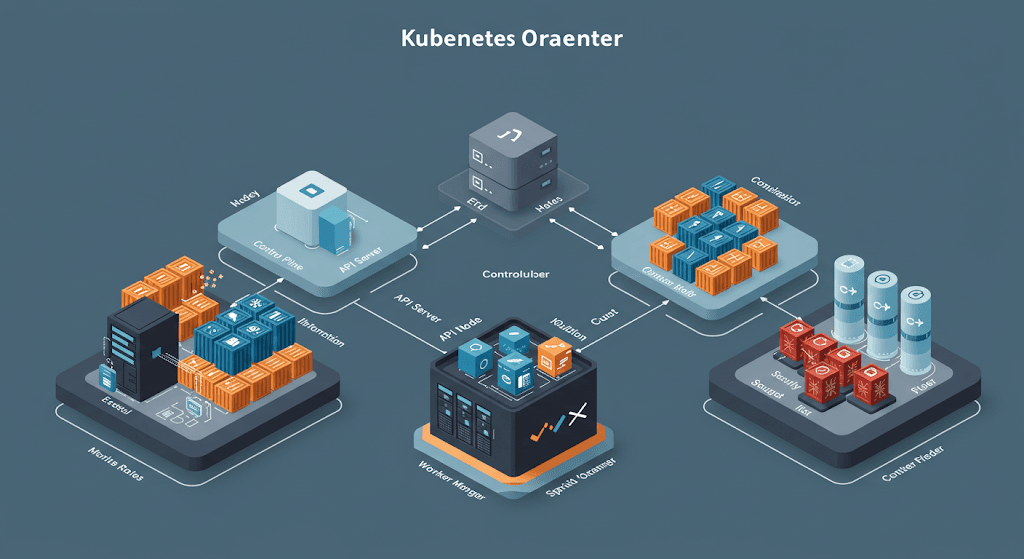
In today's cloud-native world, managing containers manually isn't practical. Kubernetes (K8s) is the most popular container orchestration platform that automates the deployment, scaling, and operation of containerized applications.
1. What is Container Orchestration?#
- Containerization packages applications into lightweight, portable environments.
- Orchestration automates container lifecycle management.
- Tools like Kubernetes handle scheduling, scaling, and networking of containers.
2. Why Use Kubernetes?#
Kubernetes provides:
- ✅ Automated Scaling: Adjusts resources based on demand.
- ✅ Self-Healing: Automatically restarts failed containers.
- ✅ Load Balancing: Distributes traffic efficiently.
- ✅ Service Discovery: Enables easy container communication.
- ✅ Rolling Updates: Deploys application updates seamlessly.
3. Installing Kubernetes on Ubuntu#
To install Kubernetes, follow these steps:
1. Update System Packages:
2. Install Docker (Container Runtime):
sudo apt install -y docker.io
sudo systemctl enable --now docker
3. Install Kubernetes Tools:
sudo apt install -y apt-transport-https curl
curl -fsSL https://packages.cloud.google.com/apt/doc/apt-key.gpg | sudo apt-key add -
echo "deb https://apt.kubernetes.io/ kubernetes-xenial main" | sudo tee /etc/apt/sources.list.d/kubernetes.list
sudo apt update
sudo apt install -y kubelet kubeadm kubectl
4. Disable Swap (Kubernetes requirement):
sudo swapoff -a
sudo sed -i '/ swap / s/^/#/' /etc/fstab
5. Initialize Kubernetes Cluster:
sudo kubeadm init --pod-network-cidr=192.168.1.0/16
Follow the output instructions to configure kubectl:
mkdir -p $HOME/.kube
sudo cp -i /etc/kubernetes/admin.conf $HOME/.kube/config
sudo chown $(id -u):$(id -g) $HOME/.kube/config
6. Install a Network Plugin (e.g., Flannel):
kubectl apply -f https://raw.githubusercontent.com/coreos/flannel/master/Documentation/kube-flannel.yml
4. Understanding Kubernetes Components#
- Master Node: Controls and manages worker nodes.
- Worker Nodes: Run containerized applications.
- Pods: The smallest unit in Kubernetes, containing one or more containers.
- Services: Expose applications running on Pods.
- Deployments: Define how applications should be managed and scaled.
5. Deploying a Sample App on Kubernetes#
Let's deploy an Nginx web server on Kubernetes:
1. Create a Deployment YAML file:
nano nginx-deployment.yml
Add the following configuration:
apiVersion: apps/v1
kind: Deployment
metadata:
  name: nginx-deployment
spec:
  replicas: 3
  selector:
    matchLabels:
      app: nginx
  template:
    metadata:
      labels:
        app: nginx
    spec:
      containers:
      - name: nginx
        image: nginx:latest
        ports:
        - containerPort: 80
2. Deploy the Application:
kubectl apply -f nginx-deployment.yml
3. Check Deployment Status:
kubectl get pods
4. Expose the Deployment:
kubectl expose deployment nginx-deployment --type=NodePort --port=80
5. Get Access URL:
kubectl get svc
Now, visit http://: to see the Nginx app running.
🚀 Troubleshooting Kubernetes Issues#
1. Kubernetes Pods Not Running?
kubectl get pods -A
Check logs for errors:
kubectl logs
2. Cluster Initialization Failed?
- Ensure you have disabled swap.
- Check
kubeadm initlogs for details.
3. Issues with Node Connectivity?
- Ensure the network plugin (Flannel) is installed.
- Check node status using:
kubectl get nodes
🎯 Conclusion#
- ✅ Kubernetes automates container deployment, scaling, and networking.
- ✅ Master nodes manage worker nodes and workloads.
- ✅ Deployments and services make Kubernetes a powerful orchestrator.